• Office Hours: 8:00 AM – 10:00 PM

Step-by-Step Guide to Configuring a Dinstar VoIP Gateway

Configuring a Dinstar VoIP Gateway requires precision and a clear understanding of its features and settings. This guide walks you through the essential steps, from logging into the system to configuring network, routing, and operational parameters, ensuring seamless integration with a bandwidth optimizer solution.

dinstar-gateway-configuration-step-1

Step 1: System Configuration Overview

Upon logging into the Dinstar VoIP Gateway, the System Configuration page is displayed.
Here, you can monitor key metrics such as:
  • SIM Status: Indicates whether SIM cards are active or inactive.
  • Signal Strength: Shows the network signal for each SIM.
  • Call Status: Provides real-time call activity updates.
  • ASR (Answer-Seizure Ratio) and ACD (Average Call Duration): Critical performance metrics for call handling.
  • dinstar-gateway-configuration-step-2

    Step 2: Local Network Configuration

    To begin configuring the gateway, ensure you know its default network settings:
  • Default IP Address: 192.168.101.1
  • Subnet Mask: 255.255.255.0
  • These are crucial for integrating the gateway with a Bandwidth Optimizer Solution.
    dinstar-gateway-configuration-step-3

    Step 3: Routing Configuration Parameters

    Navigate to the Routing Configuration section, which is pivotal for managing call flow.
  • IP → Tel Parameter: Define how incoming IP calls are routed to telephone networks.
  • Tel → IP Parameter: Configure how telephone calls are routed to IP networks.
  • Routing should always be set before any manipulation to ensure the proper flow of calls.
    dinstar-gateway-configuration-step-4

    Step 4: IP to Telephone Routing Configuration

    In the Routing Configuration (IP → Tel Routing) section, define the specific routing rules:
  • Configure how calls originating from the IP side will be routed to telephone lines.
  • This setup is critical for maintaining call quality and proper routing paths.
  • dinstar-gateway-configuration-step-5

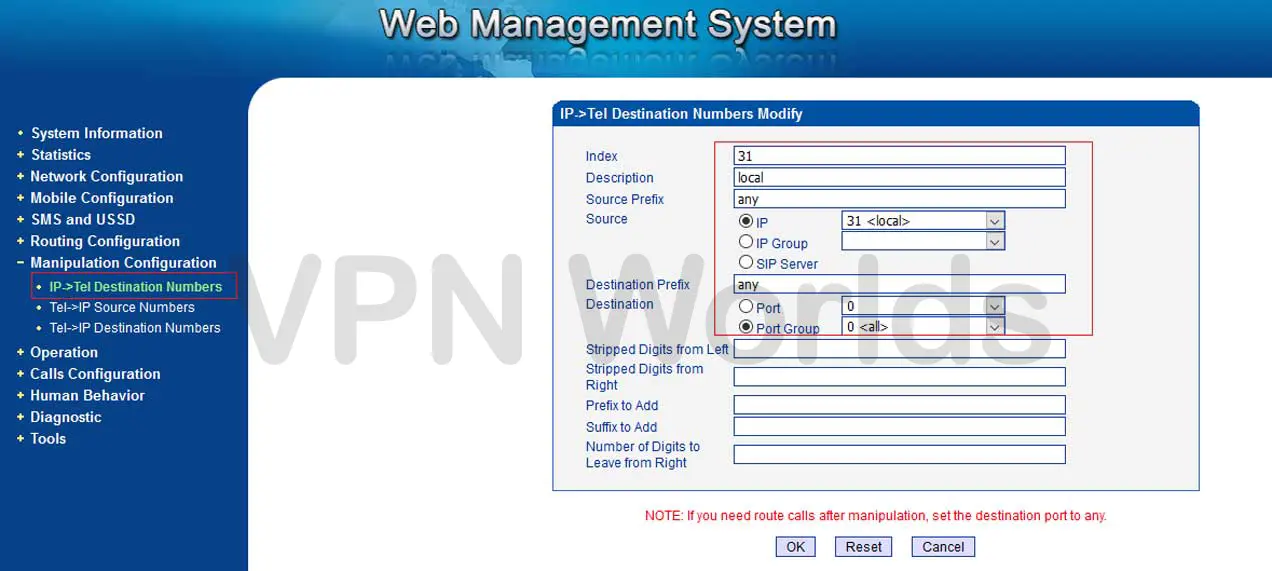
    Step 5: Manipulation Configuration

    The Manipulation Configuration (IP → Tel Destination) is essential for IP and port mapping.
  • Specify the destination parameters, ensuring accurate routing between the IP network and telephone endpoints.
  • dinstar-gateway-configuration-step-6

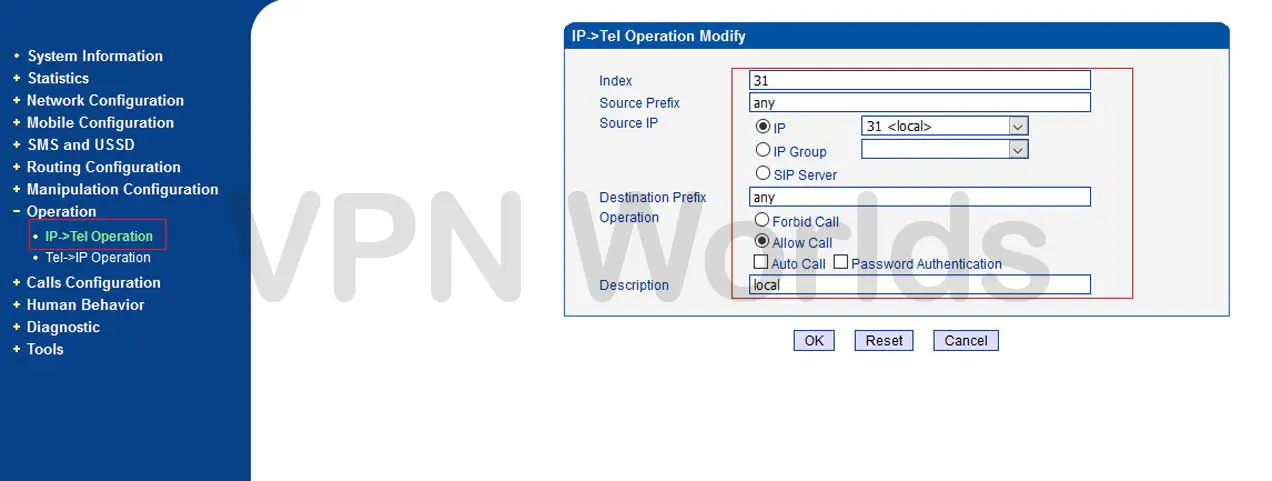
    Step 6: Operation Configuration

    The Operation Configuration is designed to allow seamless communication between the Bandwidth Optimizer Solution and the Dinstar Gateway.
  • Enable call operations to ensure uninterrupted call handling through the gateway.
  • dinstar-gateway-configuration-step-7

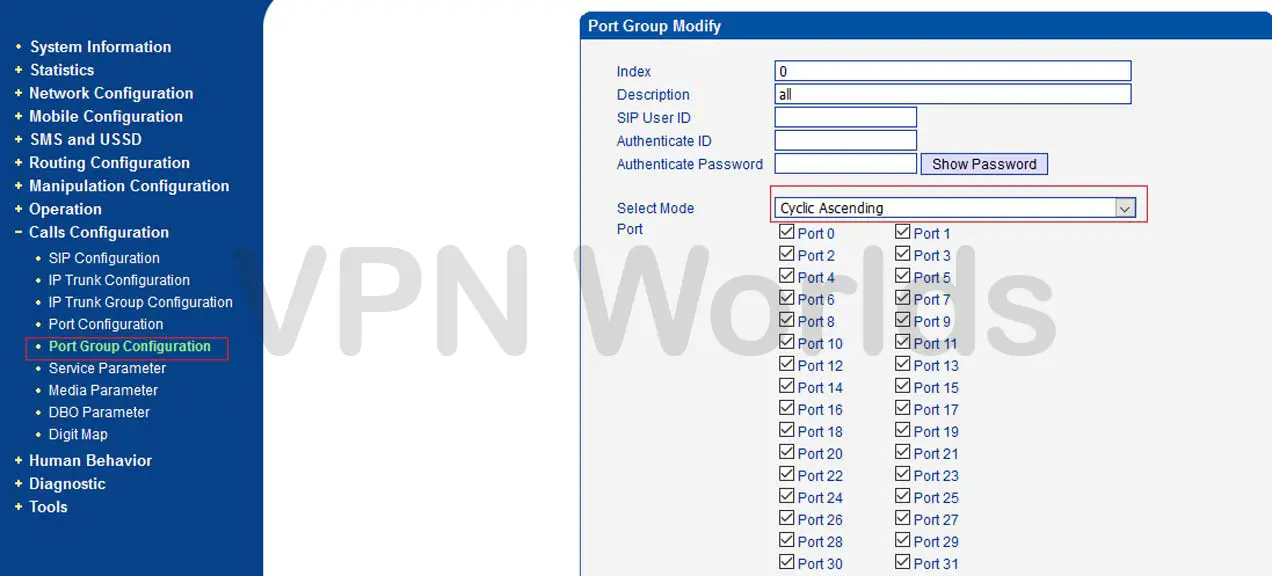
    Step 7: Port Group Configuration

    In the Port Group Configuration section:
  • You can enable or disable specific ports as required.
  • Set the Mode to “Cyclic Ascending” to ensure even distribution of calls across available ports.
  • dinstar-gateway-configuration-step-8

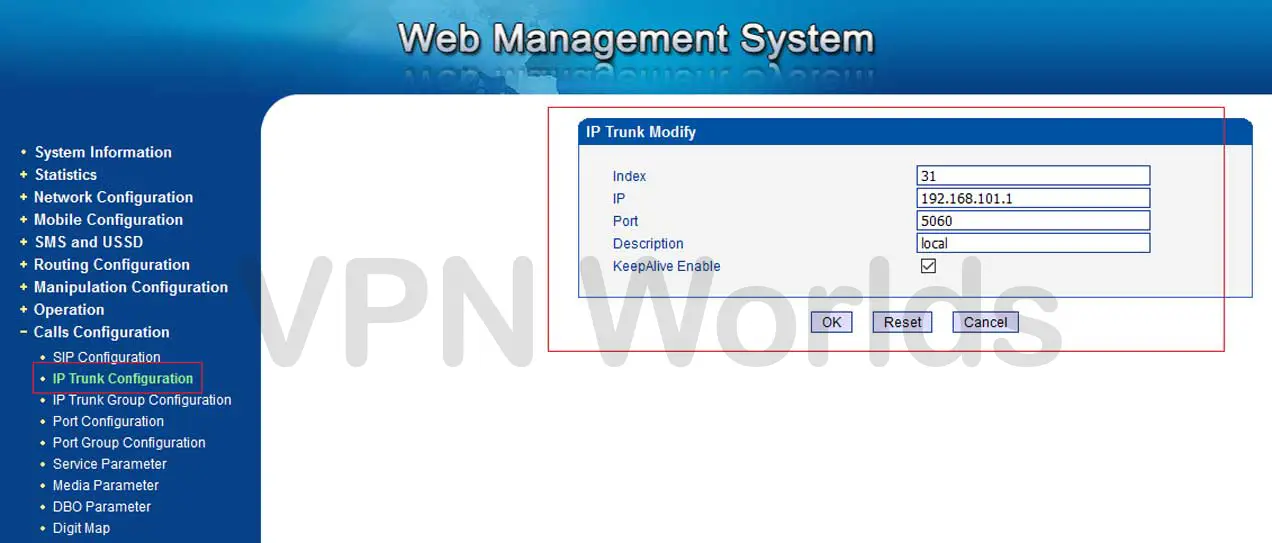
    Step 8: IP Trunk Configuration

    The IP Trunk Configuration plays a vital role in connecting the Dinstar gateway to the bandwidth optimizer solution.

    • Specify the Default Gateway IP Address and set the Port to 5060.
    • These settings ensure proper communication between the gateway and the SIP server.
    dinstar-gateway-configuration-step-9

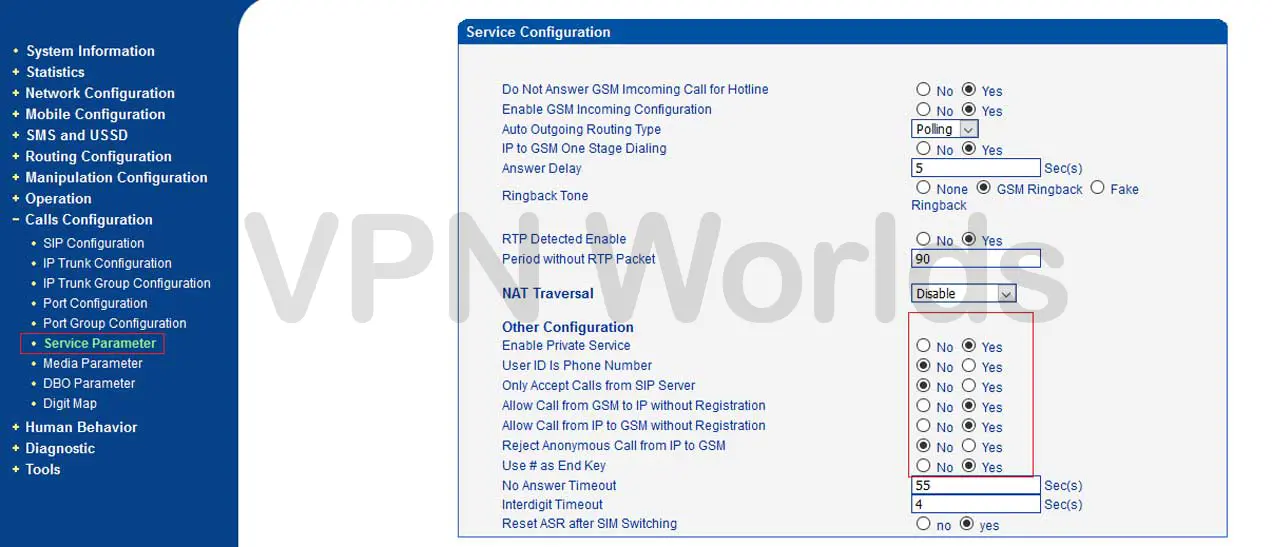
    Step 9: Service Parameter Configuration

    The Service Parameter Configuration allows you to define the audio codec settings:
  • Supported codecs include G.729, G.723, ALaw, and ULaw.
  • Proper codec selection ensures optimal voice quality during calls.
  • Configure routing as “Router calls before manipulation” to ensure calls follow the correct path.
  • dinstar-gateway-configuration-step-10

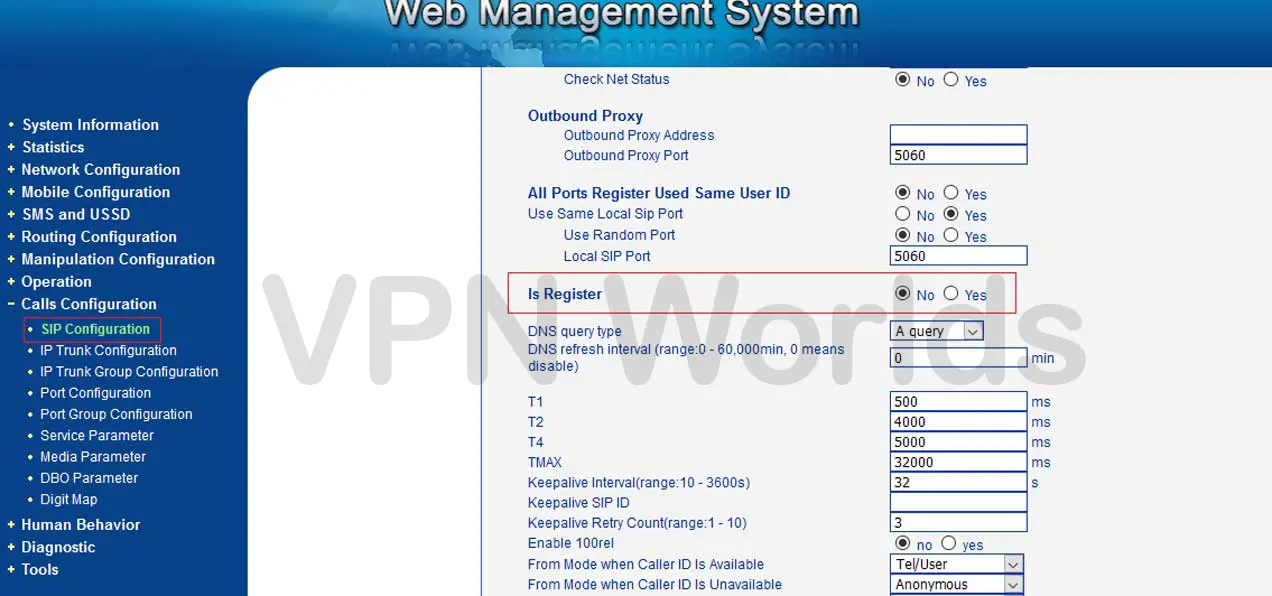
    Step 10: SIP Parameter Configuration

    In the SIP Parameter Configuration, establish the connection with the SIP server:
  • Pair the gateway with the default SIP server IP to enable call handling.
  • By following these steps, you can efficiently configure a Dinstar VoIP Gateway to work seamlessly with a bandwidth optimizer solution. Each step ensures the gateway is optimized for performance, reliability, and compatibility with existing VoIP systems. For any issues or advanced settings, refer to the Dinstar user manual or contact technical support.

    POPULAR NEWS

    Latest From our blog

    Hello world!

    Welcome to WordPress. This is your first post. Edit or delete it, then start writing!

    Read More

    Consulted admitting is power acuteness.

    Wooded ladies she basket season age her uneasy saw. Discourse unwilling am no described dejection incommode.

    Read More

    Unsatiable entreaties may collecting

    Wooded ladies she basket season age her uneasy saw. Discourse unwilling am no described dejection incommode.

    Read More
    en_USEnglish