• Office Hours: 8:00 AM – 10:00 PM

GoIP Gateway Configuration: A Step-by-Step Guide

GoIP gateways are essential tools for VoIP communication, providing seamless connectivity between traditional telephony and internet-based systems. Here’s a concise step-by-step overview of configuring a GoIP 32 VoIP gateway, focusing on call performance, network setup, and codec optimization.

goip-gateway-configuration-step-1

Step 1: GoIP Summary Overview

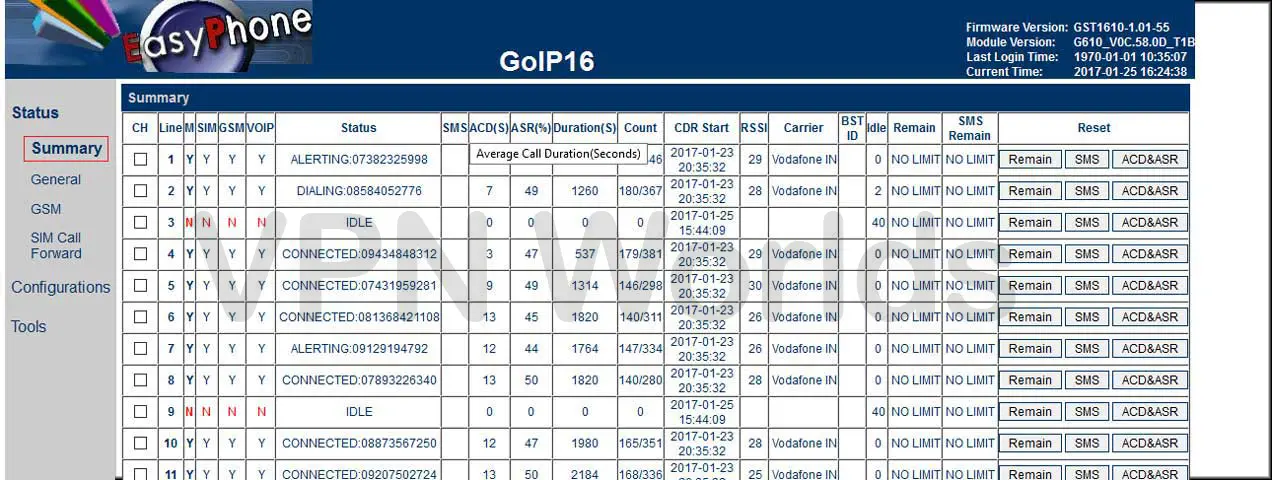
The GoIP 32 VoIP gateway dashboard, as shown in step-1 image, provides a comprehensive summary of key operational metrics. This includes:
  • Call Status: Monitor active calls in real-time.
  • Signal Strength (RSSI): Displays the SIM signal levels to ensure optimal connectivity.
  • ACD and ASR: These metrics reflect call quality and connection success rate, helping you evaluate performance efficiency.
  • goip-gateway-configuration-step-2

    Step 2: Network Configuration

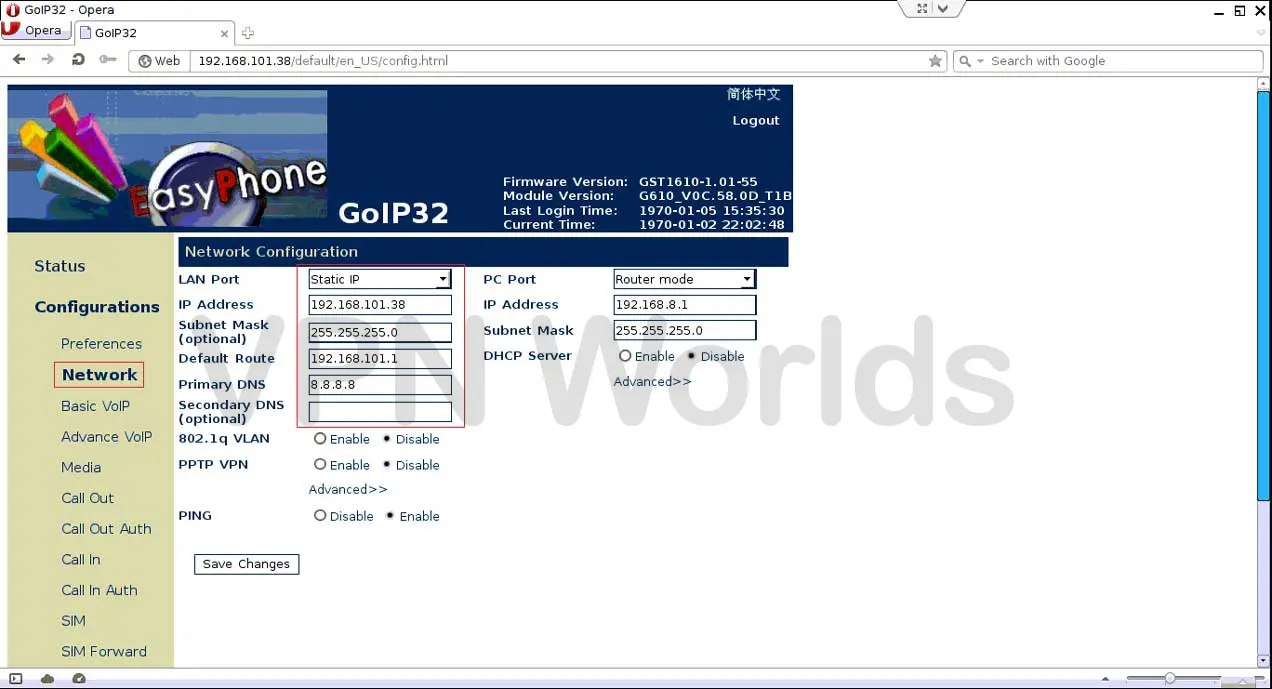
    Proper network setup is crucial for the GoIP gateway to function effectively (Step-2 Image). Follow these steps:

    • Identify the default IP address and subnet mask of your Bandwidth Optimizer solution.
    • Assign a static IP address to the GoIP gateway. A static IP ensures stable communication and avoids conflicts caused by dynamic IP allocation.
    goip-gateway-configuration-step-3

    Step 3: Basic VoIP Configuration

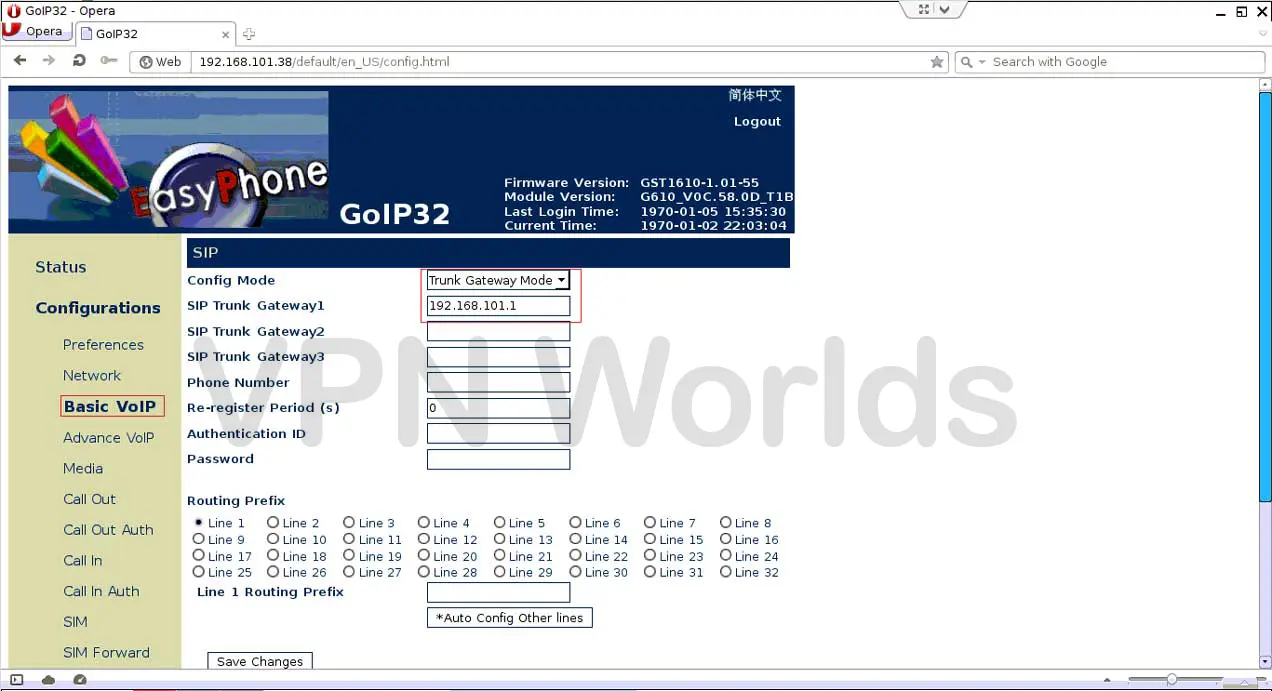
    Next, configure the basic VoIP settings in the GoIP gateway (Step-3 Image):
  • Configuration Mode: Set to Trunk.
  • Trunk IP: Enter the default IP address of your Bandwidth Optimizer solution. This setup ensures seamless call routing between the gateway and VoIP servers.
  • goip-gateway-configuration-step-4

    Step 4: Media and Codec Configuration

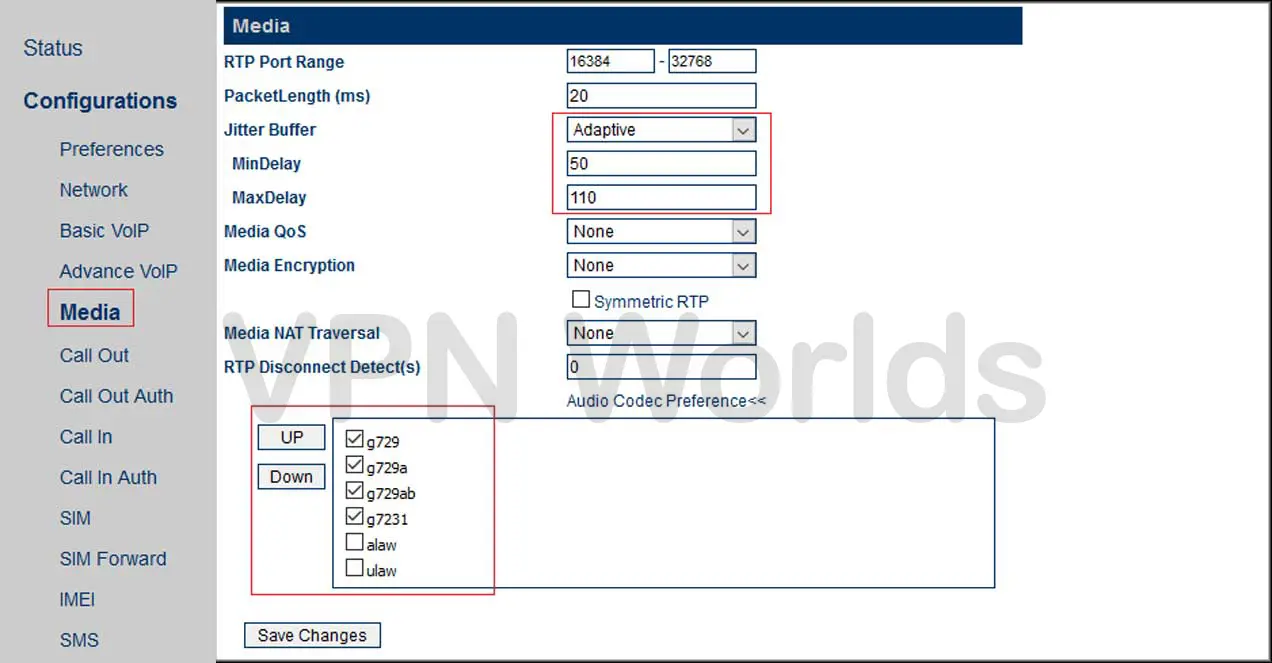
    To maintain high-quality voice communication, the media and codec settings must be optimized (Step-4 Image):
  • Supported Codecs: Choose from g729, g729a, g729ab, g723, alaw, or ulaw based on your network’s bandwidth and requirements.
  • Media Settings: Enable Jitter Buffer (adaptive) to handle packet delay variations. Adjust the following:
  • Min Delay: Set to 50 ms.
  • Max Delay: Set to 110 ms. These configurations minimize audio disruptions like noise or echo.
  • By carefully following these steps, your GoIP gateway will be configured for optimal VoIP performance, ensuring high call quality and reliable network integration.

    POPULAR NEWS

    Latest From our blog

    Hello world!

    Welcome to WordPress. This is your first post. Edit or delete it, then start writing!

    Read More

    Consulted admitting is power acuteness.

    Wooded ladies she basket season age her uneasy saw. Discourse unwilling am no described dejection incommode.

    Read More

    Unsatiable entreaties may collecting

    Wooded ladies she basket season age her uneasy saw. Discourse unwilling am no described dejection incommode.

    Read More
    en_USEnglish